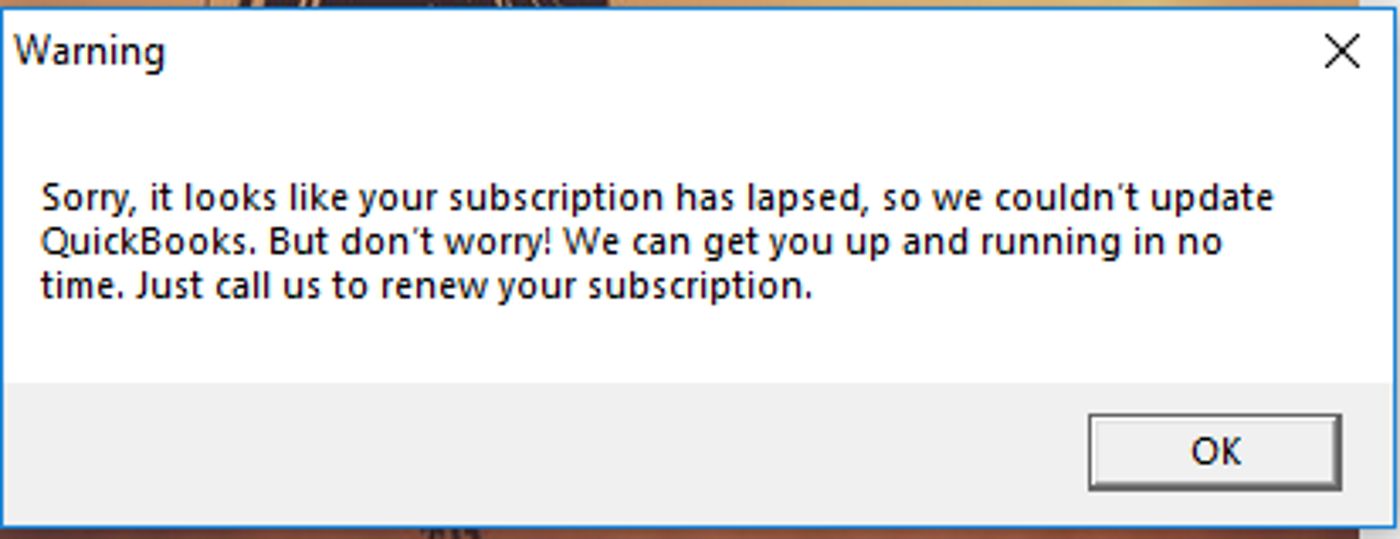
We’ve had some discussion recently on just what the difference is between upgrading and renewing, when it comes to QuickBooks Enterprise subscriptions. Because this can be a bit of a headscratcher, let’s look at the difference between these terms as they apply to QuickBooks, and what they mean for you.
September 21, 2018
QuickBooks Upgrade vs. Renewal: Enterprise Subscriptions in a Nutshell
Talk to An Advisor Today
You might also like these articles

Are All Your Bank Deposits Really Protected? Understanding FDIC Insurance Limits
Read More
Are All Your Bank Deposits Really Protected? Understanding FDIC Insurance Limits by Allyson Moore Everyone recognizes that small, comforting FDIC sign displayed at their local bank — it’s the government’s promise that your money is safe. But what many don’t realize is that FDIC insurance comes with limits. And for individuals or businesses holding…
How to Plan a Data Migration in 6 Easy Steps
Read More
If you’re preparing to switch systems, upgrade software, or clean up years of financial history, you may be facing one of the most crucial IT processes: data migration. For QuickBooks users, this often means replacing a company data file to fix performance issues, eliminate errors, or transition to a newer version of QuickBooks. Whether you’re…
6 Key Reasons Why Keeping Your Bookkeeping Updated Matters
In today’s fast-paced business world, maintaining accurate and up-to-date financial records is crucial for long-term success. Whether you're a small business owner, a franchise operator, or managing a growing enterprise, bookkeeping updates should never be overlooked. Outdated bookkeeping can lead to cash flow issues, tax penalties, and even legal troubles. On the other hand, businesses...
Read More
Controller vs. Comptroller: Key Differences Explained for Home Service Business Owners
Understanding the Differences Between a Controller and a Comptroller When running a home service business—whether it’s plumbing, HVAC, roofing, or landscaping—financial management plays a crucial role in your success. As your business grows, you may need to hire a financial professional to oversee your finances and ensure financial stability. But should you hire a Controller...
Read More
Claim your complimentary bookeeping assesment today
Request your free bookkeeping quote today and let us simplify your financial management. Our expert team at QuickBooks is ready to tailor a solution to your needs.
February 24, 2025
How to Plan a Data Migration in 6 Easy Steps
If you’re preparing to switch systems, upgrade software, or clean up years of financial history, you may be facing one of the most crucial IT processes: data migration. For QuickBooks users, this often means replacing a company data file to fix performance issues, eliminate errors, or transition to a newer version of QuickBooks.
Whether you’re migrating full transaction histories or just lists and opening balances, following a clear migration plan can save you time, reduce errors, and ensure your accounting integrity remains intact.
In this guide, we break down how to plan a data migration in six easy steps, tailored for QuickBooks but applicable across platforms. Let’s get started.
Step 1: Reorganize and Clean Up Lists
Before beginning your data migration, make sure your lists—like customers, vendors, chart of accounts, and items—are in order. Re-sorting lists ensures QuickBooks’ internal indexing is correct, which helps prevent import errors in the new file.
Action Items:
-
Use QuickBooks’ “Re-sort List” function for all major lists.
-
Merge duplicates (e.g., two customer records for the same company).
-
Inactivate obsolete items, accounts, or vendors.
According to TechRepublic, “dirty data” can cost companies up to $15 million annually in operational inefficiencies. (Source)
Step 2: Verify and Repair File Damage
Before migrating data, run QuickBooks’ Verify and Rebuild utilities to detect and fix file corruption. Data issues that go unresolved pre-migration can cause serious problems in the new file, including inaccurate reports and failed imports.
How to Run Verify:
-
Log in as Admin in single-user mode.
-
Go to File > Utilities > Verify Data.
If errors are found, proceed to File > Utilities > Rebuild Data. Always back up your file before performing a rebuild.
Tip: Run a second Verify after rebuilding to ensure all issues are resolved.
Step 3: Close or Reconcile Transactions
Next, ensure that only real-world open transactions remain in the file. You don’t want to migrate unpaid invoices or bills that have already been settled.
Reports to Review:
-
Open Invoices
-
Unpaid Bills Detail
-
A/R and A/P Aging Summaries
If you find duplicate or unlinked transactions, correct them using:
-
Receive Payments for invoices
-
Pay Bills for bill payments
A 2021 study by Forrester found that companies with clean financial data reduced monthly reconciliation time by up to 30%. (Source)
Step 4: Review Inventory for Errors
Inventory tracking in QuickBooks can be especially sensitive during a data migration. Negative inventory values are a common source of trouble, often causing inflated or erratic average costs.
Run the Inventory Valuation Detail Report:
-
Go to Reports > Inventory > Inventory Valuation Detail
-
Set the date range to “All”
-
Look for negative values in the “On Hand” column
Fixes May Include:
-
Adjusting transaction dates
-
Correcting quantities received or sold
-
Running a physical count and reconciling in QuickBooks
⚠️ According to Aberdeen Research, inventory inaccuracies lead to $1.1 trillion in losses globally each year. (Source)
Step 5: Reconcile Reports to Real-World Balances
You’ll want your new file to reflect accurate balances, not just structurally correct data.
Reports to Analyze:
-
Balance Sheet
-
Profit & Loss Statement
-
Sales Tax Payable
-
Uncategorized Expenses
If your books don’t align with your bank statements, credit card accounts, or sales tax filings, fix those issues now. Migrating flawed financials only compounds errors in your new system.
Step 6: Audit Your Workflow and Dependencies
Before finalizing your data migration, take stock of how your team uses QuickBooks. This includes custom fields, memorized transactions, and third-party apps like payroll services or inventory tools.
Key Questions:
-
Are non-posting transactions like Estimates or Sales Orders essential?
-
Do you sync QuickBooks with outside apps (e.g., Shopify, Gusto)?
-
What fields or reports are mission-critical?
Knowing what matters to your workflow ensures nothing essential is lost in the transition.
FAQs About Data Migration
What is data migration?
Data migration is the process of transferring data from one system to another—whether it’s a software upgrade, platform change, or a file cleanup. For QuickBooks users, this might mean migrating data between company files or to/from cloud versions like QuickBooks Online.
How long does a data migration take?
Simple migrations (lists only) may take a few hours. Full transaction history migrations can take several days depending on file size, data complexity, and testing. Working with a professional provider can cut this timeline in half.
What types of data can be migrated in QuickBooks?
You can migrate:
-
Chart of Accounts
-
Customer & Vendor Lists
-
Items & Inventory
-
Transactions (invoices, bills, payments)
-
Payroll data (with limitations)
Non-posting entries like Sales Orders often need manual handling.
Can I migrate from QuickBooks Desktop to QuickBooks Online?
Yes, but it requires a structured process. Not all data types migrate automatically, and some custom fields or third-party app integrations may need to be rebuilt post-migration. Always perform a backup before initiating.
Final Thoughts
A successful data migration hinges on preparation. By cleaning up your lists, verifying your file, closing out old transactions, checking inventory, reviewing financials, and auditing your workflow, you’ll set the stage for a seamless transition to a new QuickBooks file—or any other accounting platform.
Need help with your QuickBooks data migration? Let our experts guide the way. With 20+ years of experience, we make migrations smooth, accurate, and stress-free.
Talk to An Advisor Today
You might also like these articles

The Growth Finance Gap: Unlocking the Hidden Potential of Controller Services
Read More
Most businesses begin their financial journey with bookkeeping. In the early stages, this is exactly what they need. Bookkeeping organizes transactions, reconciles accounts, and prepares the business for tax season. It creates structure and ensures the numbers are recorded correctly. But as a business grows, the financial landscape changes. Revenue increases. Teams expand. Operations become…
What’s New in Intuit Enterprise Suite – February 2026
Read More
Construction, Multi-Entity Visibility, Automation, Inventory, and Workforce Enhancements The latest Intuit Enterprise Suite updates in February 2026 bring powerful new capabilities designed to help growing organizations gain visibility, automate workflows, and scale with confidence. As businesses move beyond basic accounting, they need stronger financial insight and operational alignment. These updates focus on the areas that…
Intuit Enterprise Suite Mailchimp Integration: How to Connect, Segment Customers, and Automate Marketing
Read More
Modern marketing works best when it is powered by real customer data, not assumptions or disconnected tools. The Intuit Enterprise Suite Mailchimp integration connects your financial data directly to your marketing platform. This connection lets emails, campaigns, and automations respond to real purchase behavior, customer lifecycle stage, and revenue activity. Marketing decisions are based on…
Intuit Enterprise Suite Implementation Best Practices: A Complete Guide
Read More
Implementing a new financial management platform is a turning point for many growing businesses. When done well, it creates clarity, saves time, and supports smarter decisions. When rushed or poorly planned, it can introduce confusion, slow teams down, and limit adoption. This guide covers Intuit Enterprise Suite implementation best practices to help businesses plan, execute,…
Claim your complimentary bookeeping assesment today
Request your free bookkeeping quote today and let us simplify your financial management. Our expert team at QuickBooks is ready to tailor a solution to your needs.